
Company Account Management and Renewal Made Easy!
Save time by controlling account management and renewals for all active memberships in one place.
The designated “primary” for each membership will be the only individual with the ability to renew memberships through the “member portal”.
TIP: If after logging into the member portal, you do not see “Company Memberships” listed on the left navigation menu of your profile, you are not the designated “primary” for your membership.
If you have any questions or would like to establish or change a “primary” contact for your account, contact Brian Van Acker, Membership & Education Manager at bvanacker@nsga.org or by phone at 847-296-6742 ext. 1170.
4 Simple Steps to Renew a Company Membership
- First Step:
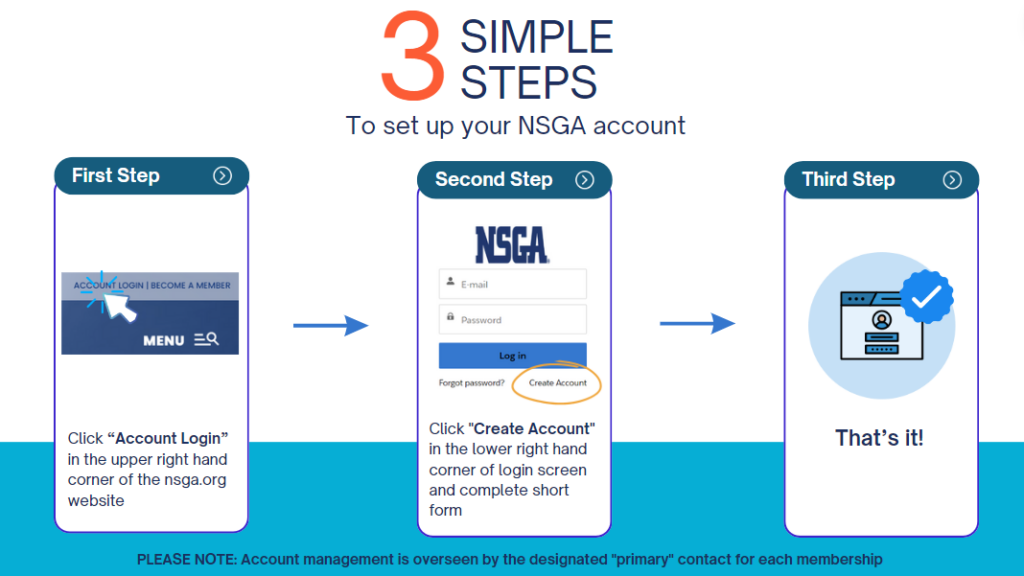
Click “Account Login” in the upper right hand corner of the nsga.org website.
- Second Step:
Once logged in, click “View Profile in the upper right corner (Note: refresh page if not immediately visible).
- Third Step:
Click “Company Memberships” on the left navigation menu to view and renew active NSGA, NSSRA, or HDA memberships.
- Fourth Step:
Click “Renew” on the right side of the “Active Membership” box to complete renewal process.
PLEASE NOTE: Account Management and renewal options are overseen by the designated “primary” contact for each membership.
Login to Renew Membership!Need to Create a Member Account?
Contact
If you have any questions or would like to establish or change a “primary” contact for your account, contact Brian Van Acker, Membership & Education Manager at bvanacker@nsga.org or by phone at 847-296-6742 ext. 1170.